
本文由日文译成中文。
本文记录了如何使用 Excel VBA 将工作表中的图像或形状(自动形状)向左、向右、向上或向下翻转。
要翻转图像或形状,请使用 “Flip” 属性。
< Sponsored Links >
水平或垂直翻转图像或形状(自动形状)的示例
左右翻转图像。
Sub test()
    Dim shp As Shape
    Set shp = ActiveSheet.Shapes(1)

    With shp
        .Flip msoFlipHorizontal
    End With
End Sub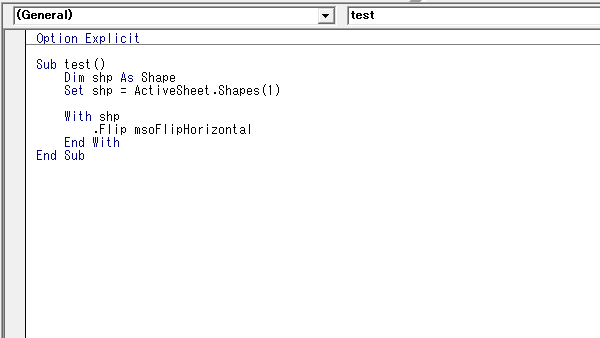
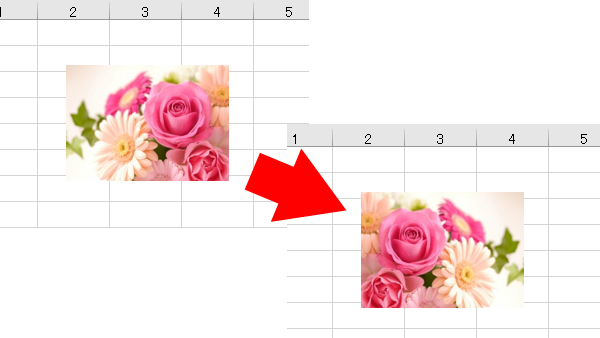
将图像翻转过来。
Sub test()
    Dim shp As Shape
    Set shp = ActiveSheet.Shapes(1)

    With shp
        .Flip msoFlipVertical
    End With
End Sub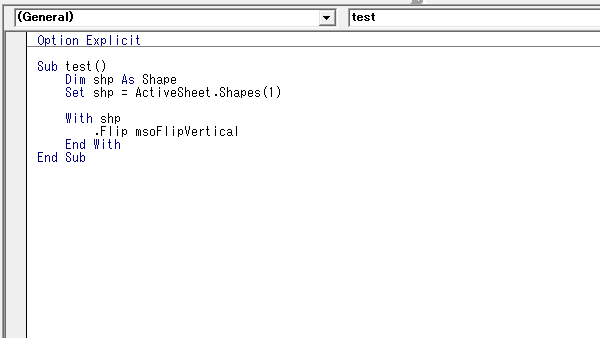
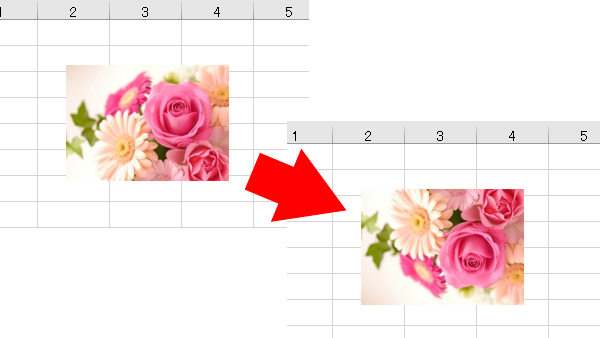
< Sponsored Links >